
edgeful templates: save your trading setup and load it in one click
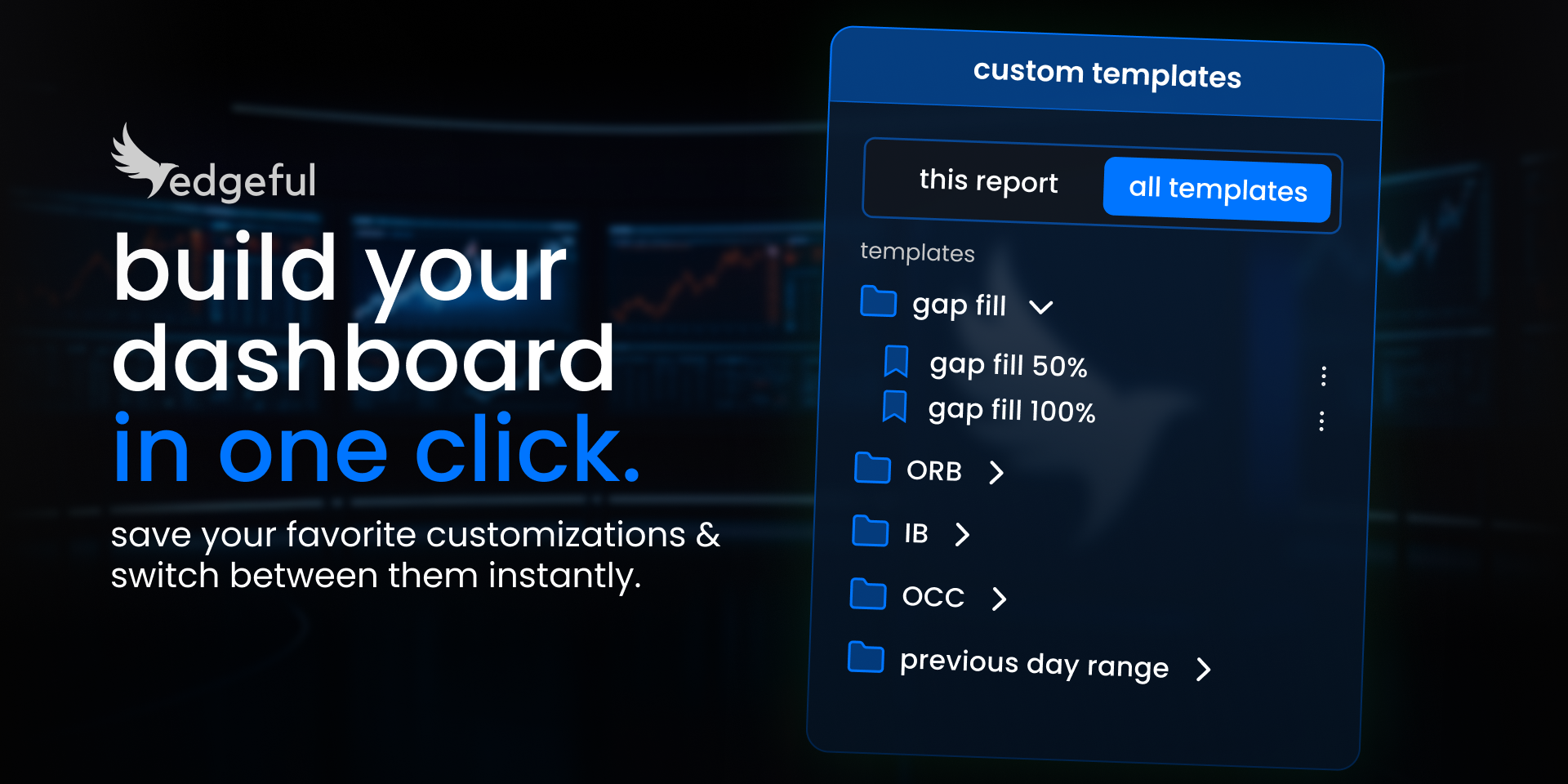
if the trading tool you're using the most makes you memorize things, or takes you multiple clicks just to find the data you need… it's not a good trading tool.
a good trading tool should save you time, not waste it. it should remember your setup so you don't have to. and it should get you to the data you need in one click — not ten.
that's exactly why we built edgeful templates — a feature that lets you save your exact setup and load it instantly, every single session.
in this guide, I'm going to walk you through exactly how edgeful templates work, which pre-built templates you can start using right now, and how to build your own custom templates that fit your trading style.
the problem edgeful templates solve
I'm sure you've felt this at some point before:
you get to your desk late and miss the first couple minutes of the session, and have to scramble to get your TradingView and other trading tools opened. it takes a couple of minutes, multiple clicks, and by then… you've already missed a perfectly good setup.
or maybe you don't get to your desk late — but you still waste 10-15 minutes every morning clicking through reports, selecting tickers, and adjusting settings before you can even start analyzing.
or worse — you forget to check a report because you didn't have a system to remind you.
this is the exact problem edgeful templates were designed to solve. instead of rebuilding your setup from scratch every session, you build it once and load it with a single click.
we can't help you not get to your desk late… but we can make sure that when you do sit down, your entire trading setup is ready in seconds.
how edgeful templates work across all 3 tools
we recently gave every single edgeful user the ability to create and save custom templates on all 3 of our most important tools:
- the reports page: you can now save your report customizations — fill percentages, date ranges, session filters, sub-reports — and refer to them in 1 click. no more manually adjusting settings every time you want to check a specific configuration.
- the what's in play dashboard: you can now set up any WIP customization — tickers, reports, layout — and load it in one click. this is where edgeful templates become especially powerful for traders who track multiple instruments across multiple reports daily.
- the screener: we've created a "daily bias" template for you to load up, or you can create and save your own screener configuration with your preferred reports and tickers.
build your setup once — reports, tickers, customizations, everything — and save it. next time you open edgeful, it's ready in one click.
and you can create unlimited templates. so every strategy, every timeframe, every use case gets its own dedicated setup.
think of it like saving a playlist vs. searching for every song individually, every single day.
building custom report templates
one of our most powerful features is the ability to customize each report to fit how you trade. and edgeful templates make those customizations permanent — so you never have to rebuild them.
take the gap fill report. by default, it uses the 100% fill — meaning price has to travel all the way back to the prior session's close to count as a fill.
but what if you trade half gaps? what if the data is stronger with a different customization?
when you switch the fill requirement to 50% on ES, the numbers change dramatically:
100% fill (default):
- gap up: 67% filled
- gap down: 65% filled
50% fill (custom):
- gap up: 77% filled
- gap down: 88% filled
that's a massive jump — especially on gap downs. going from 65% to 88% is the difference between a setup you might hesitate on and one you take with confidence every single morning.
and the annoying part is if you didn't have a template, you'd have to go in and change that customization manually every time. this can take 3 or 4 clicks, which doesn't seem like much, but adds up over time if you're looking at multiple reports every single session.
with edgeful templates — you save your 50% gap fill setup once, and it's there waiting for you. one click.
and this isn't just for gap fills. same idea works for any report: custom ORB timeframes, session filters, date ranges... whatever fits your style. save it once, never rebuild it.
what's in play templates: ES NQ most popular
while you're able to build whatever templates you want, we've also given you some preloaded ones to use — specifically on the what's in play dashboard.
the ES NQ most popular template comes loaded with the tickers and reports that the majority of our members are watching every single day:
- gap fill (by weekday, size)
- green/red days (by weekday)
- ICT opening retracement
- initial balance (by weekday, by rejection)
- inside bars (by weekday, by open)
- opening candle continuation
- outside days (by weekday, by size)
- previous day's range
no setup required. click it and you instantly see what's setting up across ES and NQ on our best reports.
if you trade ES, NQ, or just want a quick pulse on what the broader futures market is doing before making a move — this template is your starting point.
the ultimate reversal setup (URS) template
if you've been following our newsletter, you know the ultimate reversal setup — combining outside days, gap fill, and the ICT midnight open retracement into one high-probability reversal trade.
we've now built it as a pre-loaded template on edgeful.
every report you need to check if the URS is setting up on ES and NQ is already loaded. if the conditions align, you can check and get trading in one click.
no more opening 3-4 different reports and cross-referencing manually. it's all right there.
this is one of the biggest advantages of edgeful templates for traders who use multi-report strategies — instead of checking each report individually, the template brings everything together in one view so you can assess confluence instantly.
the screener daily bias template
this one's for your morning routine.
the daily bias template loads your screener with the 4 reports that tell you whether it's a directional day or a chop day:
- opening candle continuation (OCC)
- IB standard
- IB by rejection
- previous day's range
... across the market's most important 14 tickers.
by 10:30 AM ET, those reports have locked in and you'll have a clear view on which way the market is trending.
if the majority of your tickers are showing bullish across all 4 reports — why are you bearish? and vice versa.
if the bias bar has no clear direction — it's likely that session is going to be choppy, so save your energy and sit on your hands. sometimes the best trade is no trade.
keep the screener tab open all day and let the data do the thinking for you.
how to build your own custom templates
the pre-built templates are a great starting point, but really what I want you to be able to do is build your own custom templates that fit your style exactly.
think about how you trade:
- if you're a first hour trader… build a template with gap fill, ORB, outside days, previous day's range, ICT opening retracement… for the first 60 minutes.
- only trade 3-4 tickers? set those up with your favorite reports and never waste time scrolling again.
the combinations are unlimited. and every template you build makes edgeful work more and more like your personal quant.
step-by-step: creating your first edgeful template
- open edgeful and navigate to the reports page, what's in play dashboard, or screener
- set up your preferred configuration — tickers, reports, customizations, session filters
- look in the top left corner of any page — that's where your templates live
- click the "+" icon to save your current configuration as a new template
- name your template something descriptive (e.g., "gap fill 50%" or "morning bias NQ ES")
- your template is now saved — load it in one click any time you return
you can create as many templates as you want. there's no limit. organize them by strategy, by ticker, by time of day — whatever makes sense for how you trade.
how to get started with edgeful templates
- open edgeful
- look in the top left corner of any page — that's where your templates live
- try one of the pre-built templates or start building your own
- save it and never waste time setting up again
if you're not on edgeful yet — this is a good reason to start.
the traders who perform the best aren't the ones with the most complex setups. they're the ones with systems that save them time so they can focus on what actually matters — execution.
edgeful templates are how you get there.
key takeaways
- edgeful templates let you save your exact setup — reports, tickers, customizations — and load it in one click
- custom report templates save you from manually adjusting settings every session (like switching between 50% and 100% gap fills)
- pre-built templates are ready to go: ES NQ most popular, ultimate reversal setup, and screener daily bias
- the screener daily bias template gives you a directional read on 14 tickers by 10:30 AM ET
- you can build unlimited custom templates for any strategy, timeframe, or trading style
- templates work across all 3 main edgeful tools: reports, what's in play, and the screener
